 Now Facing Now Facing
Now Facing watches the song actually playing on your phone — in Spotify, YouTube Music, or anything else — and crossfades your home screen into its album art the moment it starts.
Now Facing runs quietly as a background listener — there's nothing to open once it's set up. Here's the actual mechanism, start to finish.
A notification listener watches Android's system-wide media session — whichever app is actively playing, without needing per-app integration.
MediaSessionManagerThe instant a track starts, its album art bitmap is pulled straight out of the track's own metadata — no network fetch, no lookup.
MediaMetadata.ALBUM_ARTYour home screen crossfades into the new art over 450ms, vsync-paced so it never stutters, and hands its palette to Material You.
450ms · WallpaperServiceSpotify, YouTube Music, a podcast app, a local file player — anything that publishes a standard Android media session.
Frames are pre-scaled and drawn on their own thread, synced to the display's refresh rate — the transition holds steady at any track length.
The wallpaper reports its own colors to the system, so your icons and system UI can shift with the album art too.
Choose a wallpaper for when nothing's playing — or let Now Facing capture your current one automatically the first time it runs.
A short debounce means jumping to the next track never flashes back to your default in between — only a real stop does.
Mirror the art to your lock screen independently of the live home screen, or leave your lock screen exactly as it is.
Now Facing runs in the background — the app itself is just a control panel for three things: permission, your live wallpaper, and your default.
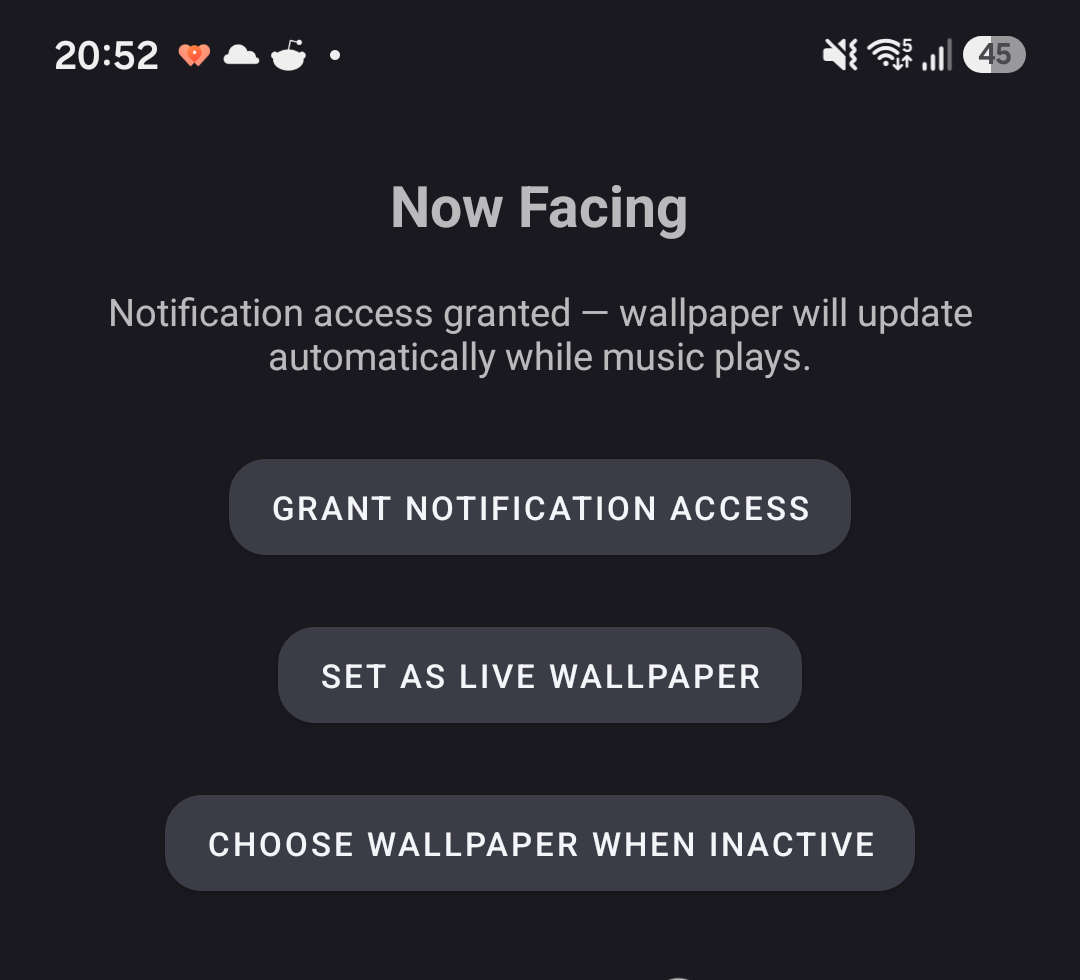
The one permission Android requires for reading what's currently playing — granted once, from system settings, directly from this screen.
Opens Android's own live wallpaper picker with Now Facing preselected — confirm it there, same as any other wallpaper.
Pick any photo for when nothing's playing, and decide whether the art should follow you to the lock screen too.
Now Facing is currently in closed testing ahead of its Play Store listing. Check back shortly, or watch this page — it'll update the moment the listing goes live.